Before you hand over your photos, your first name and a few evenings of attention, you want to know whether TalkBack or VoiceOver will let you sign up, browse and send a message. That is a practical question, and it deserves an answer before you spend time building a profile.
The honest starting point is that the available research cannot support a confident, current ranking of named dating apps by screen-reader access. A 2022 scoping review found that disabled people's experiences of dating apps and websites are sparsely covered. The evidence can explain why compatibility matters, but it cannot tell you which current app will work best on your phone.
Why the evidence does not produce a ranked list #
A scoping review published in Sexuality and Disability in December 2022 examined research on disabled people's experiences of online dating and found that this is not well-covered ground. The reviewers wrote, "Experiences of people with disabilities regarding dating applications and websites is sparsely addressed in the literature."
What the review did find is worth holding onto. Compatibility between an app or website and someone's adaptive technology was identified as one of the themes shaping the experience, and the reviewers said the themes could work in both directions, as facilitators or barriers. Whether your screen reader gets along with an app is not a side issue. It can determine whether you can use that app for dating at all.
The review establishes the importance of compatibility, not a league table of current services. A practical check on your own phone therefore answers a question the published evidence cannot: whether the app works with your screen reader through the parts of dating you actually need to use.
Judging an app yourself #
The W3C has published guidance on applying WCAG 2.2 to native, hybrid and mobile web apps. It identifies mobile-relevant success criteria including orientation, reflow, pointer gestures and motion actuation. Use those criteria as part of a dating-app walk-through before writing your profile.
- Signing up. Try to complete registration with TalkBack or VoiceOver. Include any verification, date of birth and photo-upload steps the app presents.
- Swiping, or whatever the app calls its main browsing action. If it uses a path-based gesture, check whether a plain control performs the same action.
- Orientation. Turn the phone sideways and check whether the app still works in the orientation you use.
- Text size and layout. Set text to your usual size and check whether the screen reflows without moving controls out of reach.
- Motion. Check whether any action triggered by movement also has a control you can operate directly.
- Messaging. Open a conversation, enter text and locate the send control. An app needs to remain usable beyond registration and browsing.
Treat a successful run through the main tasks as a filter, not a certification. The aim is to establish whether the version on your phone works with the screen reader and settings you use.
Why mobile app access matters #
In WebAIM's tenth screen reader user survey, the stated preference for using a mobile app rather than a website for common online tasks rose to 58% in 2024, up from 51.8% in 2021 and 46% in 2017. That survey is not a ranking of dating services, but it does show the importance of mobile app access to the screen-reader users who responded.
What can be said about Agilis #
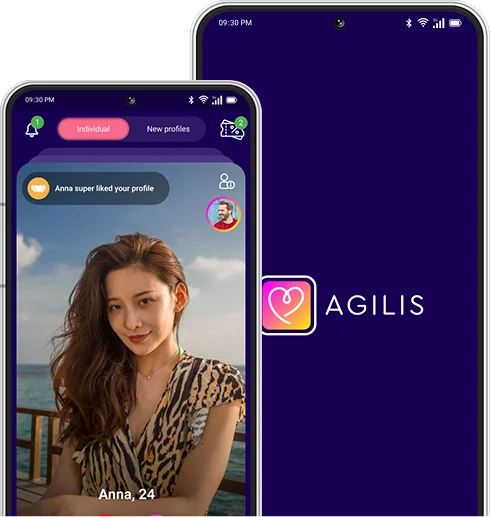
Agilis works with TalkBack on Android and VoiceOver on iOS, tested end to end from signing up through to messaging.
Asking them to fix it is not asking for a favour #
When an app does not work, it is easy to treat that as your problem to solve with a workaround and a bit of patience. Under the Equality Act 2010, service providers have a duty to make reasonable adjustments so that a disabled person can use a service as close as reasonably possible to the usual standard. The Equality and Human Rights Commission describes this duty as anticipatory, meaning a provider should not wait for a disabled person to ask.
When reporting an accessibility problem, name the screen, the control or gesture involved, the phone you use and whether you are using TalkBack or VoiceOver. That gives the support team a precise account of what failed.
Checking access first is not about turning dating into a compliance exercise. It is about getting the interface out of the way, so your attention can go where you meant it to go: to the person on the other end.
Frequently asked questions
What does research say about screen-reader access to dating apps?
It says the evidence is limited. A 2022 scoping review in Sexuality and Disability found that disabled people's experiences of dating apps and websites are sparsely addressed, although compatibility with adaptive technology was identified as a theme shaping the experience.
If an app says it meets WCAG, does that mean it will work with TalkBack?
Not by itself. The W3C's guidance on applying WCAG 2.2 to mobile apps is informative rather than normative, so it does not set requirements of its own. Test the app with TalkBack through registration, browsing and messaging.
Can I ask a dating app to fix an accessibility problem?
Yes. Under the Equality Act 2010, service providers have a duty to make reasonable adjustments, and the Equality and Human Rights Commission describes that duty as anticipatory. When reporting a problem, name the screen, control or gesture that fails and the screen reader you use.
What is the single most useful thing to test before committing to an app?
Sending a message. Open a conversation, enter some text and locate the send control before spending time building a profile.
Jehan Rajendra
Founder, Agilis Building a 100% free dating app because meaningful connections shouldn't sit behind a paywall. Writes about safety, privacy and the product decisions behind Agilis.
Profile